

The Ultimate Laptop Buying Guide: How to Choose the Right PC for Your Needs
Buying a new laptop can easily feel overwhelming. Between confusing processor naming schemes, endless display specifications, marketing jargon, and wildly varying price points, finding the ideal machine requires navigating a maze of technical details. Whether you are looking for an ultra-portable productivity machine, a high-performance creator station, or a value-driven daily driver, making an informed choice comes down to matching your specific workflow with the right hardware configuration.
This comprehensive guide breaks down everything you need to know step-by-step—from deciphering internal specifications to choosing the right brand lineup—ensuring you buy a laptop that serves you reliably for years without overpaying for features you will never use.
Step 1: Define Your Primary Use Case
Before comparing processor clock speeds or screen resolutions, clearly define what you will actually do on the machine every day. Most laptop buyers fall into one of five primary profiles:
1. General Everyday Productivity
Primary tasks: Web browsing with multiple tabs, streaming 4K video, video calls, word processing, and spreadsheets.
Target specs: Intel Core i3 / Core 5 or AMD Ryzen 3 / 5, 8GB to 16GB RAM, 256GB–512GB SSD.
Key priority: Battery life, quiet operation, and display clarity.
2. Business & Remote Work
Primary tasks: Heavy multitasking, cloud applications, virtual meetings, data processing, and document security.
Target specs: Intel Core Ultra 5 / 7 or AMD Ryzen 7, 16GB–32GB RAM, 512GB+ SSD, Wi-Fi 6E/7, 1080p+ webcam.
Key priority: Durable build, comfortable keyboard, crisp microphone/webcam, and enterprise security features (TPM 2.0, fingerprint scanner, IR camera).
3. Content Creation & Heavy Workstations
Primary tasks: 4K video editing, 3D modeling, high-resolution photo editing, audio production, and software development.
Target specs: Apple M-series Pro/Max chips or Intel Core Ultra 7/9 / AMD Ryzen 9 paired with dedicated GPUs (NVIDIA RTX 4060 or higher), 32GB+ RAM, 1TB+ NVMe SSD.
Key priority: High color accuracy (100% DCI-P3), color calibration, thermal cooling capacity, and dedicated graphics rendering power.
4. Gaming
Primary tasks: AAA gaming, esports, high-frame-rate rendering, and live streaming.
Target specs: Intel Core i7 / Ultra 7 or AMD Ryzen 7, dedicated graphics (NVIDIA RTX 4050/4060/4070/4080/4090), 16GB–32GB DDR5 RAM, high refresh rate display (144Hz–240Hz+).
Key priority: Powerful cooling, high-wattage GPU performance, high refresh rate screen response, and expandability.
5. Student & Lightweight Travel
Primary tasks: Note-taking, research, media consumption, campus commute, and remote assignments.
Target specs: Apple M-series MacBook Air, Intel Core Ultra 5, AMD Ryzen 5, or mid-to-high-tier Chromebook. 8GB–16GB RAM, 256GB–512GB SSD.
Key priority: Weight (under 3 lbs / 1.35 kg), 10+ hour battery life, and USB-C Power Delivery charging.
Step 2: Choose the Right Operating System
Your choice of operating system (OS) shapes your entire software ecosystem, security model, and hardware options.
| Operating System | Best For | Key Strengths | Potential Drawbacks |
| Windows 11 | General users, gamers, business professionals, custom setups | Unmatched software compatibility, best gaming ecosystem, wide price variety | Inconsistent battery optimization across non-ARM models, higher background resource usage |
| macOS | Content creators, students, Apple ecosystem users | Industry-leading battery efficiency, whisper-quiet performance, premium build | Higher starting price, no native touchscreen support, limited PC gaming library |
| ChromeOS | Web-focused users, K-12 students, budget buyers | Lightweight, fast boot times, extreme battery efficiency, budget-friendly | Dependent on web apps / Android apps, poor for local professional media production |
| Linux (Ubuntu/Fedora) | Developers, system admins, privacy enthusiasts | Complete customization, lightweight resource consumption, privacy-focused | Requires technical knowledge, inconsistent driver support for exotic hardware |
Step 3: Deciphering Core Specifications
Understanding what goes on inside the chassis prevents you from buying an underpowered machine or overspending on performance you won’t use.
       ┌─────────────────────────────────────────────────────────┐
       │                 THE CORE HARDWARE MATRIX                 │
       ├─────────────────┬───────────────────────────────────────┤
       │ Processor (CPU) │ Engine of system speed and efficiency │
       │ Memory (RAM)    │ Multitasking workspace capacity       │
       │ Storage (SSD)   │ Speed and volume of long-term storage │
       │ Graphics (GPU)  │ Visual rendering and AI workload power│
       └─────────────────┴───────────────────────────────────────┘
The Processor (CPU): Intel vs. AMD vs. Apple Silicon
The CPU is the primary computing brain. Modern processors leverage a hybrid architecture combining high-performance cores (P-cores) with high-efficiency cores (E-cores) alongside dedicated Neural Processing Units (NPUs) for AI tasks.
Intel:
Core i3 / Core 3: Budget/basic web productivity.
Core i5 / Core Ultra 5: The mainstream sweet spot for work, school, and light gaming.
Core i7 / Core Ultra 7: High-performance multitasking, creator tasks, and gaming.
Core i9 / Core Ultra 9: Enthusiast desktop-replacement performance.
AMD:
Ryzen 3: Entry-level daily tasks.
Ryzen 5: Excellent balance of multi-threaded value and battery efficiency.
Ryzen 7: Strong multi-core performance for heavy workloads and gaming.
Ryzen 9: Maximum multi-threaded compute power.
Apple Silicon:
M-Series (Base): Unbeatable efficiency for everyday productivity and light video editing.
M-Series Pro / Max / Ultra: Professional-grade creative workstations with unified memory architectures.
System Memory (RAM)
RAM handles live active applications. Running out of RAM causes system slowdowns regardless of how fast your CPU is.
8GB RAM: Absolute bare minimum for lightweight web browsing and office documents. Avoid for heavy multitasking.
16GB RAM: The modern sweet spot for most users. Smooth multitasking across dozens of browser tabs and applications.
32GB RAM: Recommended for 4K video editing, heavy virtual machines, engineering CAD software, and future-proof gaming setups.
64GB+ RAM: Specialized creative workstations and heavy local AI model deployment.
Buyer Tip: Many modern thin-and-light laptops use soldered RAM (LPDDR5/5X) that cannot be upgraded after purchase. Always buy the RAM capacity you will need for the next 4–5 years upfront.
Storage: NVMe SSDs
Traditional mechanical Hard Disk Drives (HDDs) are virtually obsolete in modern laptops. Ensure your laptop features a Solid State Drive (SSD) using the NVMe PCIe protocol.
256GB SSD: Suitable for cloud-centric users and basic document storage.
512GB SSD: The ideal baseline for mainstream users.
1TB SSD: Essential for games, local media libraries, and creative asset storage.
2TB+ SSD: Ideal for professional video production and massive game libraries.
Graphics (GPU): Integrated vs. Dedicated
Integrated Graphics (Intel Arc, AMD Radeon Graphics, Apple GPU): Built directly into the CPU die. Excellent for everyday productivity, video streaming, and light photo editing while consuming very little battery power.
Dedicated Graphics (NVIDIA GeForce RTX series / AMD Radeon RX series): Standalone graphics chips with dedicated VRAM. Essential for 3D gaming, video rendering, machine learning, and CAD modeling.
Step 4: Display & Visual Ergonomics
You look at your laptop screen every second you use it. Choosing the wrong panel type or resolution can lead to eye strain and poor color rendering.
Screen Size & Resolution
13.3″ – 14.0″: Maximum portability. Ideal for frequent travelers, college students, and mobile professionals.
15.6″ – 16.0″: The ideal compromise between screen real estate and physical footprint. Fits a numeric keypad in many chassis.
17.3″ – 18.0″: Desktop replacement. Best suited for stationary gaming and creative setups.
Resolution Benchmark: Do not buy a screen below 1920×1080 (Full HD / 1080p). For 14-inch screens and larger, 2.5K (2560×1600) or 2.8K offers significantly sharper text and reduced eye fatigue.
Panel Technologies: IPS vs. OLED vs. Mini-LED
IPS (In-Plane Switching): Reliable, accurate color reproduction, wide viewing angles, and excellent energy efficiency. The industry standard for productivity.
OLED (Organic Light-Emitting Diode): Per-pixel lighting delivers true deep blacks, infinite contrast ratios, vibrant colors, and near-instant response times. Ideal for movie watching and content creation, though consumes more power with bright white backgrounds.
Mini-LED: Combines high peak brightness (1000+ nits) with local dimming zones. Superior HDR performance without risk of image burn-in.
Step 5: Form Factors & Chassis Types
  Traditional Clamshell          2-in-1 Convertible              Gaming / Workstation
┌────────────────────────┐    ┌────────────────────────┐    ┌────────────────────────┐
│  ┌──────────────────┐  │    │  ┌──────────────────┐  │    │  ┌──────────────────┐  │
│  │   Standard LCD   │  │    │  │ Touch / Pen Screen │  │    │  │ High-Refresh Screen│  │
│  └──────────────────┘  │    │  └──────────────────┘  │    │  └──────────────────┘  │
│  [  Keyboard Deck  ]   │    │  ↺ 360° Foldable Hinge │    │  [ Dual Thermal Fans ] │
└────────────────────────┘    └────────────────────────┘    └────────────────────────┘
Standard Clamshell: Traditional hinge design opening up to 130–180 degrees. Offers the best balance of structural rigidity, low weight, and thermal performance per dollar.
2-in-1 Convertible: Features a 360-degree hinge that allows the display to fold back flat, converting the machine into a tablet or tent display. Great for digital sketching, signing documents, and media consumption.
Detachable (Surface-style): A tablet with a removable magnetic keyboard cover. Offers extreme tablet flexibility at the cost of lap stability.
Gaming / Performance Chassis: Thicker chassis housing high-airflow cooling systems, dual fans, heat pipes, and full-power graphics cards.
Step 6: Brand Spotlight – Navigating HP’s Laptop Lineup
HP (Hewlett-Packard) offers one of the broadest laptop catalogs in the personal computing market. However, their product naming conventions can confuse buyers. Here is how their major series break down:
1. Consumer & Productivity Series
HP Pavilion: Budget-friendly, entry-to-mid-tier daily drivers. Great for students and home office tasks, constructed primarily from durable plastic with basic aluminum accents.
HP Envy: Mid-to-high tier prosumer laptops. Offers all-aluminum chassis designs, color-accurate displays, quiet thermals, and excellent speakers. Excellent value alternative to flagship models.
HP Spectre x360: HP’s flagship premium consumer line. Precision-milled CNC aluminum construction, gem-cut styling, 4K/OLED touch display options, and class-leading keyboard ergonomics.
2. Commercial & Business Series
HP ProBook: Mainstream business machines designed for durability, straightforward serviceability, and enterprise security management.
HP EliteBook: Premium business laptops engineered with ultra-light magnesium/aluminum alloys, privacy screens (Sure View), long lifecycle support, and military-grade durability testing (MIL-STD 810H).
HP Dragonfly: Flagship ultra-lightweight enterprise executive laptops prioritizing sub-1kg weight, 5G connectivity, and superior webcam and video conferencing hardware.
3. Gaming & Creator Series
HP Victus: Entry-level mainstream gaming line built for solid 1080p performance at accessible price points.
HP OMEN: High-performance gaming series equipped with advanced OMEN Tempest Cooling, fully configurable RGB lighting, high-wattage GPUs, and high refresh rate panels.
HP ZBook: Commercial-grade mobile workstations optimized with ISV-certified drivers, Intel Xeon / Core i9 processors, and professional NVIDIA RTX Ada Generation graphics for CAD, VFX, and structural engineering.
Step 7: Ports, Ergonomics, and Quality of Life Features
Hardware specs do not tell the whole story. Real-world satisfaction often hinges on small everyday details.
Crucial I/O Ports
USB-C with Power Delivery (PD) & DisplayPort: Allows charging the laptop and driving an external monitor through a single universal cable.
Thunderbolt 4 / USB4: Provides massive 40Gbps bandwidth for external graphics docks, ultra-fast RAID arrays, and dual 4K monitor output.
HDMI 2.1: Native connection to modern 4K TV displays and high-refresh monitors without needing dongles.
SD / microSD Card Slot: Essential quality-of-life feature for photographers and videographers.
Dongle Avoidance Rule: Make sure the laptop includes at least one legacy USB-A port if you still use standard flash drives, wireless mouse receivers, or legacy peripherals.
Input Comfort: Keyboards and Trackpads
Key Travel: Look for 1.3mm to 1.5mm key travel for comfortable typing during long work sessions. Avoid shallow, mushy keyboards.
Backlighting: Essential for typing in low-light environments.
Precision Glass Trackpad: Glass surfaces offer significantly smoother touch response and more reliable multi-touch gesture support compared to cheap plastic trackpads.
Step 8: 15 Essential Rules for Laptop Buying
Keep these actionable tips top-of-mind before swiping your credit card:
Don’t buy purely on brand name; buy the specific model series. Every major manufacturer builds both excellent high-end models and sub-par budget devices.
Prioritize 16GB RAM for long-term usability. 8GB is rapidly becoming inadequate for modern web applications and background processes.
Check the display brightness rating. Aim for at least 300 nits for indoor work and 400+ nits if working near bright windows or outdoors. Avoid 250-nit screens if possible.
Avoid mechanical hard drives completely. Ensure primary storage is an NVMe M.2 SSD.
Beware of low-wattage gaming GPUs. A 60W NVIDIA RTX 4060 will perform noticeably worse than a 115W RTX 4060. Check thermal wattage (TGP) ratings in gaming reviews.
Test the keyboard layout. Watch out for non-standard arrow key clusters, undersized Shift keys, or power buttons placed right next to Delete.
Verify charging flexibility. Ensure the laptop supports USB-C charging so you can use universal multi-port GaN chargers on the go.
Don’t fall for 4K on a 13-inch screen. 4K resolution on small screen sizes drains battery life rapidly while providing negligible visible clarity over a sharp 2.5K panel.
Inspect webcam quality. Look for a native 1080p (2.1MP) webcam with a physical privacy shutter rather than an outdated 720p lens.
Factor in thermal fan noise. Read real-world reviews to check if thin-and-light models suffer from constant fan whining under light web browsing.
Check color coverage specs. For photo/video work, verify the screen covers 100% sRGB or 99%+ DCI-P3, not just standard 45% NTSC color space.
Consider refurb and previous-generation deals. Last year’s flagship laptop with a previous-gen CPU frequently outperforms a brand-new budget laptop at the same price point.
Verify upgrade potential. Check if storage slots and Wi-Fi cards are user-replaceable or soldered permanently.
Match screen refresh rate to your task. 60Hz is fine for basic productivity, but 90Hz–120Hz+ makes scrolling text and system animations feel significantly smoother.
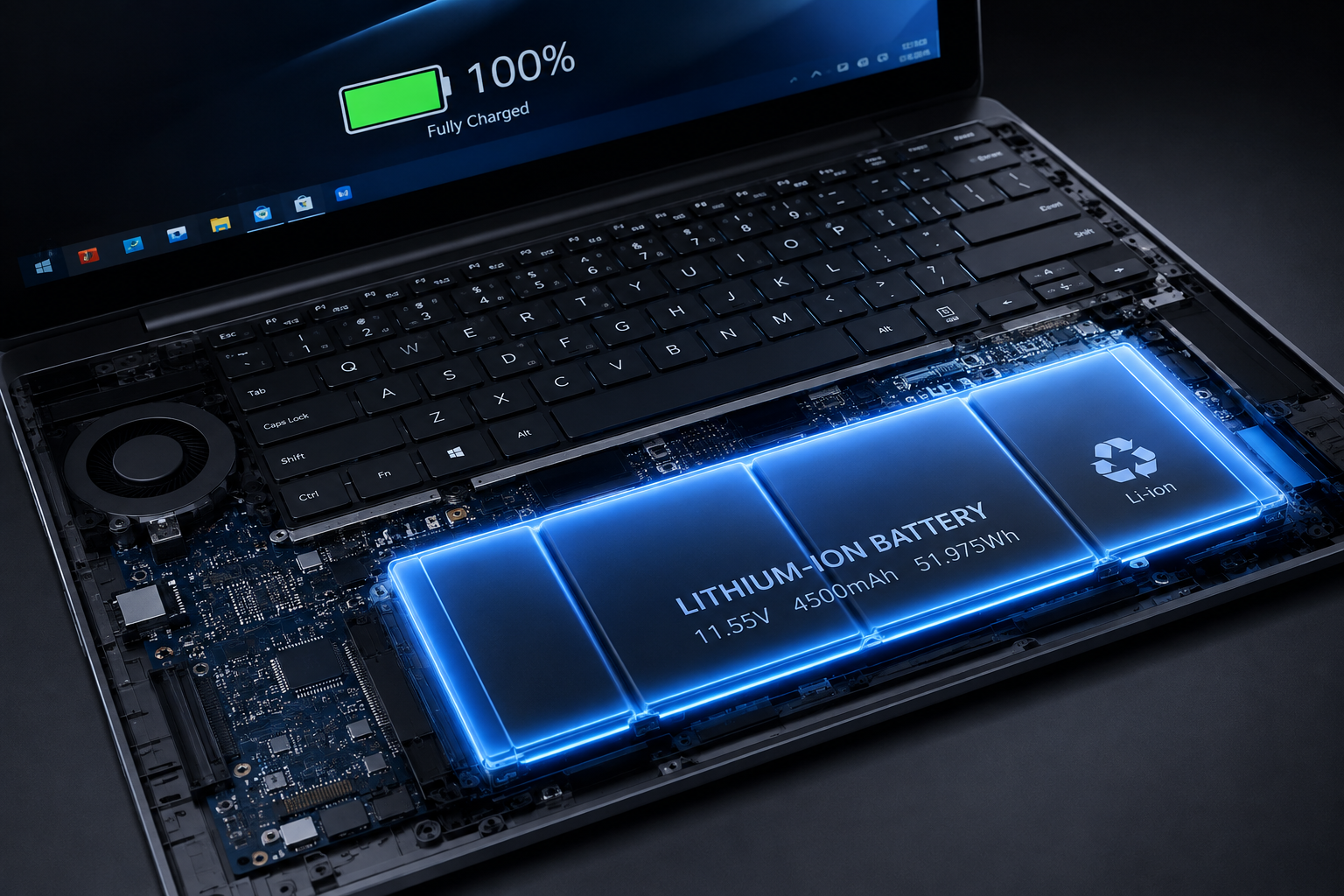
Balance portability against battery size. Look at battery capacity measured in watt-hours (Wh). A 70Wh+ battery generally delivers reliable all-day productivity on thin-and-light processors.
Final Pre-Purchase Checklist
Before committing to your purchase, run through this quick checklist:
[ ] Does the screen offer at least 1080p resolution and 300 nits of brightness?
[ ] Is the memory (RAM) capacity sufficient for the next 3–5 years (16GB recommended)?
[ ] Does it feature an NVMe SSD rather than slower eMMC or HDD storage?
[ ] Are the required physical ports available without relying entirely on external hubs?
[ ] Does the battery size (Wh) and processor TDP match your daily mobility needs?

Leave a Reply